Lab 3: Frequency Hopping
Introduction
Frequency Hopping is a technique where the frequency of the transmitted signals changes quickly and randomly over time. Some of the major pro’s of doing this is: It helps reduce signal interference, and improves security by making it hard for unauthorized users to intercept or jam signals. In this lab we will take a look at what this might look like.
To Get Started
Python Installed
import random
import time
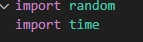
If you need assistance on installing Python, i recommend visiting Python.org where you can easily install Python on your computer. Installing python now would be helpful for later labs in the later modules as well. We will also need to import time, and import random for this python script.
Part 1: Creating the Wireless Device Class
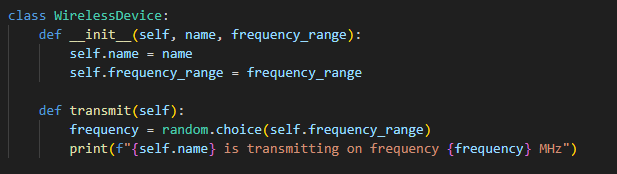
This class simply creates the wireless Device which will have an array of possible frequencies that can be randomly decided to be using at a particular time stamp. In this lab we will simply create just 3 devices with 3 different possible frequencies that they can be adjusted to.

Part 2: Creating the Wireless Network Class
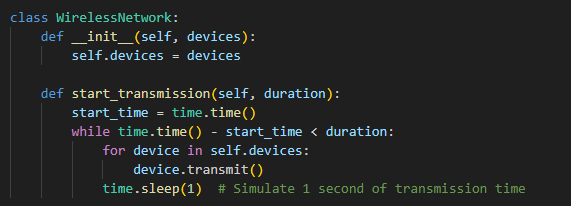
This class will create a network, in our case we will be using the 3 devices that will transmit their signals, selecting randomly which frequency they will be using at a particular time.

Part 3: Launch the Signal

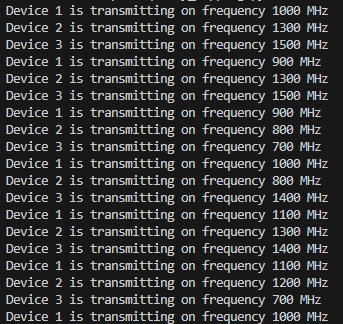
We will launch the transmission for 10 seconds and display the results and watch all of the devices hop to different frequencies randomly.
Conclusion
As mentioned before, this technique can reduce signal interference because of the non fixed frequencies. As well as preventing unauthorized users to do something maliciously to the signals such as jam or intercept the signals.